+1 Muscle Robber Pump Roblox Script
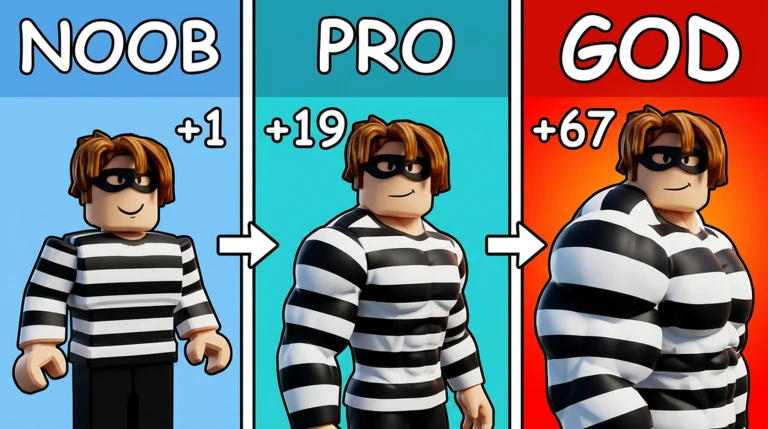
+1 Muscle Robber Pump Roblox Script combines Kill Aura and SpinBot in a combat script hub for common Roblox executors. The current script centers on aura-style actions, a SpinBot toggle, faster movement while spinning, and optional on-screen notifications so players can see when major tools change state.
Combat focused aura control
+1 Muscle Robber Pump Roblox Script is a combat script hub built around Kill Aura and SpinBot for common Roblox executors. In +1 Muscle Robber Pump, where progress depends on fast confrontations and pressure around nearby players, this removes the need to manually click every strike during close encounters.
The aura is controlled through a keybind rather than a crowded set of sliders. Pressing the assigned key toggles the attack loop on or off, which makes it easier to swap between normal movement and aggressive farming or robbing situations without reopening the interface.
SpinBot pressure and movement
- SpinBot
- Rotates the character repeatedly, creating a disruptive spinning movement pattern during active play.
- Speed boost
- While SpinBot is enabled, the character’s WalkSpeed is set higher, helping with chases, escapes, and repositioning.
- Quick toggle
- The SpinBot keybind lets players enable or disable the movement behavior instantly during a fight or robbery attempt.
Use the current loader
Run the listed loader in your executor after joining +1 Muscle Robber Pump, then use the in-game menu and keybinds to control the active tools.
Steal aura use case
The page description highlights Steal Aura as part of the script’s purpose, which fits the robber-style loop of the game. A steal aura is most useful when the player is already close to a target or objective, because it reduces the amount of manual timing needed during crowded interactions.
Used together with Kill Aura and SpinBot, the steal-focused setup is built for short, chaotic engagements. The player can move into range, apply pressure with automated attacks, and keep motion unpredictable while attempting to complete robbery actions before opponents react.
Interface and notification behavior
- Settings tab: Includes a notification toggle for players who want visible confirmation when important features change state.
- Blatant tab: Holds the main aggressive tools, including Kill Aura and SpinBot keybind controls.
- Toggle messages: When notifications are enabled, the script displays whether Kill Aura or SpinBot has been enabled or disabled.
- Menu visibility: The included UI supports hiding or showing the window with its configured interface keybind.
Best situations to use it
- Close fights: Kill Aura is most useful when opponents are nearby and repeated attack input matters.
- Robbery pressure: Steal Aura support is best saved for moments when you are already positioned near the target.
- Escaping danger: SpinBot’s speed increase can help create distance after a robbery attempt or failed push.
- Crowded areas: The spinning movement can make your character harder to read while fights and steals overlap.