Trollge Incident Fights Reborn Roblox Script
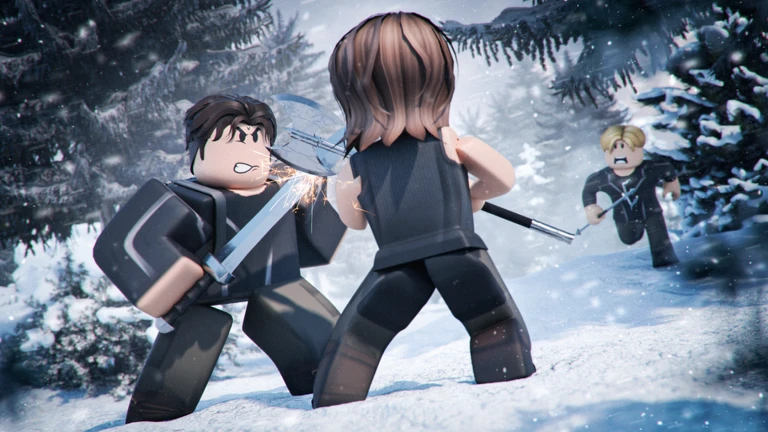
Trollge Incident Fights Reborn Roblox Script combines Enemy ESP and Player ESP in a combat script hub for common Roblox executors. This Keyify page focuses on the current TROLLGE Hub V0.5 script build and what it is useful for when you want faster control, cleaner targeting, and less wasted movement during battles.

What This Script Is For
Trollge Incident Fights Reborn Roblox Script is a combat script hub built around Enemy ESP and Player ESP for common Roblox executors. The game’s loop depends on spotting threats, closing distance, escaping bad positions, and keeping pressure on opponents, so the script’s most useful value comes from visibility, movement, and attack support.
Because matches can become visually messy, the strongest practical benefit is reducing confusion. ESP style tools help you read where players or hostile targets are before they rush you, while movement options can make repositioning less punishing when a fight shifts across the map.
Combat and Target Awareness
- Enemy ESP
- Highlights hostile targets so you can react earlier, track nearby threats, and avoid walking blind into active fights.
- Player ESP
- Marks other players during crowded encounters, making it easier to judge distance, direction, and possible incoming attacks.
- Auto attack
- Helps maintain pressure during close combat, especially when a target is already within range and movement is changing quickly.
Use the Current Loader
Run the loader only in a fresh game session so the combat tools initialize cleanly before you enter a busy fight.
Movement Tools That Fit Arena Fighting
Mobility matters a lot in Trollge Incident Fights Reborn because many fights are decided before a full combo even starts. Being able to adjust speed or jump behavior gives you more control over spacing, chase routes, and escape timing without changing the basic goal of winning direct encounters.
- Walk speed control: Useful for chasing weakened opponents, rotating away from danger, or reaching a fight before it ends.
- Jump power control: Helps with vertical repositioning, dodging ground pressure, and taking routes that slower players may miss.
- Teleport to players: Lets you move directly to selected players, which is helpful for regrouping, dueling, or finding active combat faster.
Best Way to Use It In-Game
Start with awareness tools before relying on aggressive options. In this game, running straight into every visible player can backfire if several Trollge forms are stacked in one area, so use ESP first to choose fights where you understand the positions and can leave if the exchange turns against you.
Keep movement values reasonable and test changes gradually. Small speed or jump adjustments are usually more useful than extreme settings because they preserve control during attacks, make movement easier to predict, and help you avoid overshooting targets while trying to land hits.
- Pick targets carefully: Use visibility tools to avoid crowded brawls unless you are prepared for multiple enemies.
- Tune movement slowly: Increase speed or jump in steps so fighting still feels controlled and responsive.