NPC Builders Demo Roblox Script
NPC Builders Demo Roblox Script combines Auto Destroy all Builds in an utility script hub for common Roblox executors. The current listing points to one clear purpose: automatically destroying all builds, making it useful when you want to reset crowded structures or speed up destruction-focused play.
What This Script Is Built For
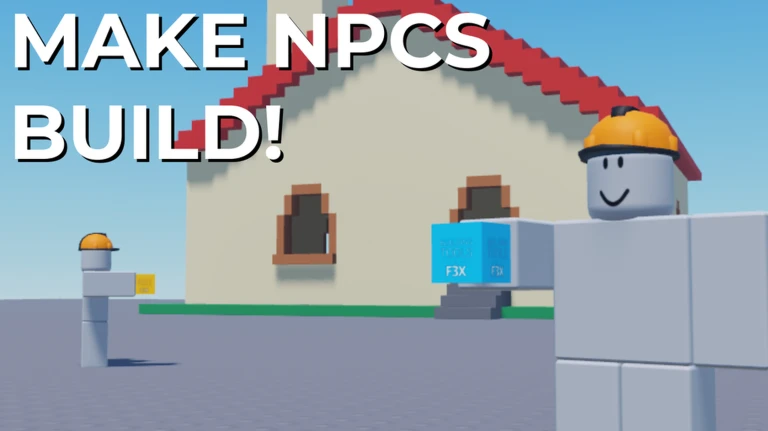
NPC Builders Demo Roblox Script is an utility script hub built around Auto Destroy all Builds for common Roblox executors. This script is aimed at that exact task, removing the need to manually chase every wall, block, or placed object after NPCs have filled the area.
The listing does not describe a large multi-tool menu, farming system, or unrelated combat package. Its value is in a simple quality of life loop: let the builders create, then use the script to wipe existing builds and keep the map readable for another round of testing or destruction.
Confirmed Function
- Auto Destroy all Builds
- Automatically targets the constructed build objects in the session so the area can be cleared without manual destruction.
- Useful for crowded maps
- Helps when NPC activity has created too many structures and normal movement or visibility becomes awkward.
- Good for repeated testing
- Lets players reset the build area quickly before observing another wave of NPC construction behavior.
Run the Auto Destroy Loader
Use the loader when you are ready to activate the build-clearing function during an active NPC Builders Demo session.
When It Helps Most
The best use case is a server where builders have already produced a messy collection of parts. Instead of spending time breaking each structure by hand, you can clear the field and return attention to the game’s main spectacle, which is seeing how NPCs rebuild and how the destruction systems respond.
It can also be helpful if you are comparing build patterns across attempts. A clean space makes it easier to notice where NPCs start, how quickly they place objects, and whether the destruction loop feels different after a fresh reset.
Practical Notes Before Using
- Use it intentionally: Activating automatic destruction will interfere with any structures you wanted to observe for a longer period.
- Expect a focused tool: Do not expect unrelated features such as combat assists, currency automation, or teleport systems from this listing.
- Best after buildup: Let NPCs create enough structures first, then trigger the script when clearing everything is actually useful.
- Stay aware of others: In shared sessions, clearing builds may affect players who are watching or interacting with the same structures.