Paint My Keyboard Roblox Script

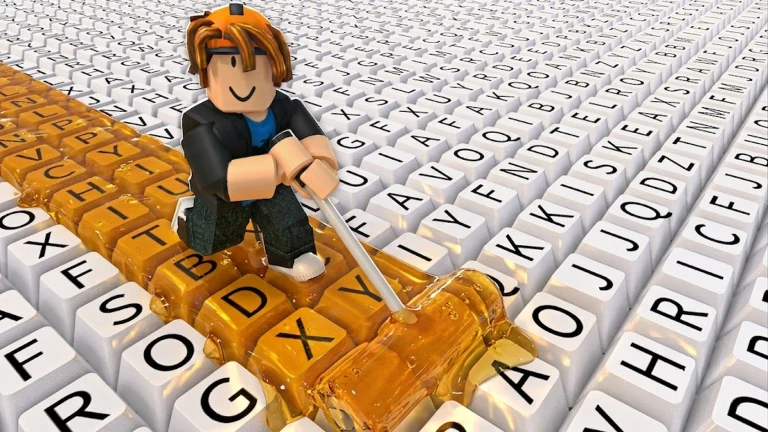
Paint My Keyboard! 🎨 Roblox Script focuses on auto painting first, then adds upgrade help for steady progress. Manual key coloring can turn into a repeat loop, so these builds are picked for players who want cleaner control over the grind.
Paint My Keyboard Roblox Script

From Hand Painting to a Steady Loop

Paint My Keyboard! 🎨 Roblox Script is for automating the keyboard-painting routine. The strongest value is auto painting, because the normal flow asks you to repeat the same small actions across key after key. With the right build running, that manual routine becomes a steady loop that keeps the board moving while you focus on upgrades and timing.

The page separates a game-specific build from a universal fallback, so the choice is practical. Start with the build that targets painting and upgrades if you want progress in this game. Use the utility build when movement controls or simple player tools are enough for the session.

Field Notes for Picking the Right Build

  • Painting grind: Choose the automation build when the main goal is filling keys faster and reducing repeated clicks.
  • Upgrade path: Auto upgrade support helps turn earned progress into better output without stopping the paint cycle.
  • Movement control: The universal option fits lighter sessions where speed, positioning, or player utility matters more than painting automation.

Available Paint My Keyboard Builds

Pick the game-focused automation build first, or use the universal utility option when you only need basic player controls.
Auto Paint and Upgrade Build

This is the main game-focused option for Paint My Keyboard! 🎨. Its listed strengths are auto paint and auto upgrade, which match the core routine of coloring keys, building value, and improving output over time.

Automation That Matches the Board

Auto paint is the reason this build leads the list. Instead of treating each keyboard key like a separate chore, it keeps the painting routine active and reduces dead time between actions. Auto upgrade then supports the longer run, since progress is more useful when it feeds back into stronger tools or faster painting.

A conservative coin collection helper also fits the same loop. When rewards appear from painting progress, collecting them without breaking the rhythm keeps the session tidy. The result is not a scattered utility pack, it is a focused workflow for painting, earning, and improving.

recommended
build-1.lua
loadstring(game:HttpGet("https://keyify.lol/l/paint-my-keyboard?v=2521"))()

Universal Movement Utility Build

This option is a general Roblox utility build rather than a dedicated Paint My Keyboard! 🎨 automation script. It is useful when you want player-side helpers, but it should not be treated as a replacement for the painting and upgrade build.

When a Lightweight Utility Makes Sense

  • Movement controls: Helpful for repositioning around the play area, testing routes, or moving more comfortably during casual play.
  • Player utilities: Best used as a fallback toolset when painting-specific automation is not the immediate goal.
build-2.lua
loadstring(game:HttpGet("https://keyify.lol/l/paint-my-keyboard?v=2522"))()