WarCommand Roblox Script
WarCommand Roblox Script combines custom waypoint path creation and four color-coded unit paths in a combat script hub for common Roblox executors. The release focuses on custom routes, multiple lanes, and automatic engagement while units march. It reads like a tactical helper for players who want cleaner pushes instead of scattered unit movement.
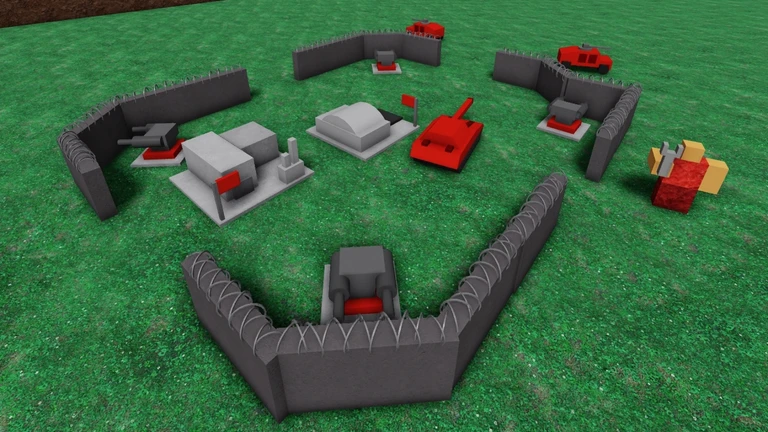
Verdict From the Route Panel
WarCommand Roblox Script is a combat script hub built around custom waypoint path creation and four color-coded unit paths for common Roblox executors. The standout mechanic is custom pathing: click points onto the map, then send eligible troops toward the closest route. That gives a concrete outcome, cleaner pushes, especially when a front line needs to move around obstacles or converge from several angles.
The control panel is compact but not empty. It offers path creation, move-all deployment, auto march, path clearing, and a spread box in one place. The script is not trying to automate the whole match economy, it is aimed at battlefield movement and target contact.
Why It Helps Progress a Match
- Four route channels: Cyan, red, green, and yellow tracks let you stage separate four lanes for split attacks or reinforcements.
- Auto march: When enabled, newly produced troops can be assigned automatically instead of waiting near your base.
- Combat pauses movement: Units check for enemy contact within their attack range before continuing along the waypoint chain.
- Formation spacing: The spread input adjusts how tightly units gather around each waypoint during movement.
Combat Logic Worth Noticing
Inspection of the listing shows the march loop only gathers owned units with health remaining. It also filters targets by team and owner, so allied objects are skipped before attacks are fired. The useful mechanic here is owned units control, and the concrete outcome is fewer accidental distractions while the squad is moving.
Targeting is not a vague nearest-object scan. The script checks unit names, building names, attack ranges, and some air-target restrictions before selecting priority targets. Tanks, Humvees, and Artillery are prevented from selecting Heli or VTOL targets, matching the kind of role separation WarCommand battles usually need.
Path Controller Loader
Run the loader after joining a match, then build your route markers before sending units forward.
Session Checklist Before a Push
- Pick a lane color: Choose the active tab before placing nodes, so each route stays readable during pressure.
- Toggle Create Path: Use Create Path only while placing markers, then switch it off to avoid accidental extra nodes.
- Send the army: Press Start Move All after routes are ready, letting units choose the nearest valid first waypoint.
- Clean bad routes: Use Destroy Current Path for one lane, or wipe every marker when the attack plan changes.