EUPHORIA RAGDOLL RagBlood Roblox Script
Overview
For RagBlood, the available specialized Hitbox option is the clear starting point for sessions involving player-to-player combat interaction. It matches the experience's described chaotic play with friends while leaving target choice, movement, aiming, and combat decisions with you.
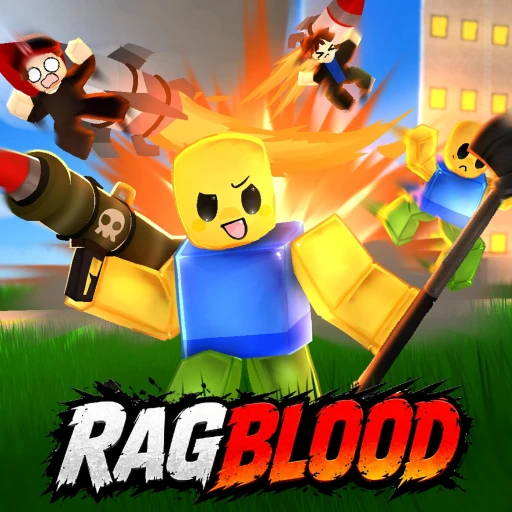
Use Hitbox during chaotic play
Use Hitbox for the selected player interaction, then continue aiming, moving, and deciding when to engage manually. The configuration targets another player's UpperTorso and assigns it the initialized size of 10 in each Vector3 dimension, with Transparency set to 1, CanCollide set to false, and Massless set to true when the listed conditions apply.
Script loader
Copy the loader below when you are ready to use the option described on this page.
Recheck pending after a Roblox update
- Roblox updatedOctober 23, 2026
- Source checkedOctober 14, 2026
- Page refreshedOctober 14, 2026
Step by stepApply Hitbox during a RagBlood fight
For a fight in RagBlood's unpredictable shared chaos, begin with another player as the interaction target and keep your aim, movement, and combat decisions manual. Hitbox is the listed combat interaction for this sequence.
The configuration looks for another player's UpperTorso and assigns its size from the initial PartSize value of 10, while also setting Transparency to 1, CanCollide to false, and Massless to true when the stated conditions apply.
- Before using these controls
Choose the player you intend to engage and position yourself where you can observe the encounter. Keep target selection, positioning, and timing manual before using Hitbox.
- Hitbox
Use Hitbox for the selected interaction. Because the part becomes transparent, judge the encounter through your positioning and the surrounding action rather than by expecting the changed part to be visible.
- After using the controls
If the selected encounter remains relevant, continue your manual combat decisions with that player. If the situation changes, stop focusing on that target and select the next player you intend to engage before continuing.
Step by stepExplore RagBlood with a clear next choice
RagBlood presents exploration as part of an unpredictable, chaotic experience shared with friends. Choose a shared activity, participate in what unfolds, and let the group's next decision follow the situation rather than assuming a fixed outcome.
- Choose the objective
Decide which part of the broad RagBlood experience you and your friends want to try next, keeping the objective focused on discovering and participating in the unpredictable game.
- Carry out the activity
Take part in the chosen activity with your friends and respond to the chaos as it unfolds. The description supports exploration and shared fun, but does not define a fixed sequence of actions.
- Handle the next decision
When the situation changes, choose whether to stay with the current activity or redirect the group toward another part of the experience. Keep that choice with the players rather than treating the unfolding result as something you directly control.
- Decide what comes next
After the current activity, continue exploring if the group wants another unpredictable moment, or shift to a different shared activity. Let the group's interest determine the next direction.
Game snapshot
Checked October 23, 2026
Roblox identity
- Place ID
- 18722757961
- Universe ID
- 6343995637
- Released
- July 30, 2024
- Server size
- 40
Questions about this build
What remains my responsibility when using Hitbox?
You still choose which player to engage and remain responsible for positioning, aiming, timing, movement, and whether to continue the encounter. Hitbox is the listed interaction capability; the configuration details describe property assignments for another player's UpperTorso rather than automatic combat decisions.