Destroy A Car Roblox Script
Destroy A Car Roblox Script combines claim all available vehicles and spawn normal vehicles in an utility script hub for common Roblox executors. Roblox Script focuses on fast vehicle access for the current car-smashing release. The inspected build is centered on claiming available rides and spawning them from an in-game panel. It is most useful when the session is about testing different vehicles quickly instead of waiting through normal selection steps.
Release notes from the garage floor
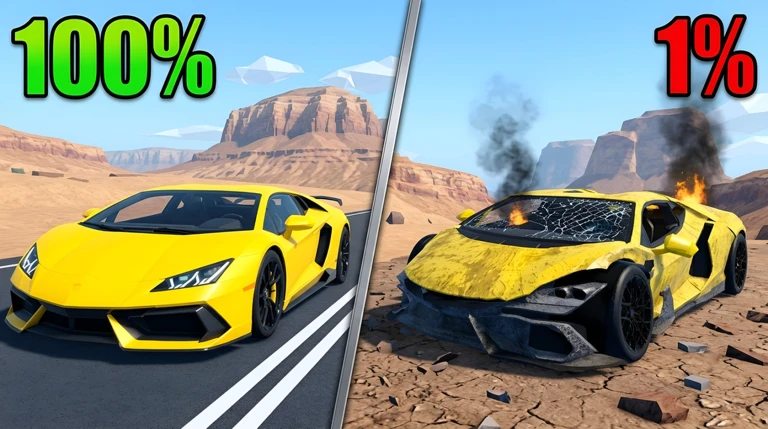
Destroy A Car Roblox Script is an utility script hub built around claim all available vehicles and spawn normal vehicles for common Roblox executors. Roblox Script is built for quick vehicle testing. The code checks both regular and secret vehicle storage, then requests vehicle access before presenting the options in a compact panel. That makes the release feel less like a general hub and more like a focused car spawner for this specific update.
The practical result is a spawn-ready list split into two tabs: secret vehicles and normal vehicles. Instead of guessing names or digging through menus, you select the car name directly. For a destruction-focused round, that means faster swaps, cleaner testing, and less downtime between one smashed ride and the next.
Run the car spawner build
Use the loader once you are in a server, then open the panel and choose the vehicle category you want to spawn from.
Tools that matter in a smash session
I would treat this build as a garage control panel, not a full automation suite. Its strongest value is the way it gathers vehicle names from the game, separates the lists, and sends the spawn request when you click. The flow is simple, but it matches the core loop well.
- Vehicle claiming
- Runs a claim check across stored cars, helping claim all available vehicles before you start selecting.
- Secret tab
- Shows secret vehicle options in their own category, useful when the limited update adds rarer cars.
- Normal tab
- Keeps standard cars separate, so repeated testing does not require scrolling through every special option.
- Direct spawning
- Clicking a listed car sends the spawn request immediately, giving a concrete vehicle change in the round.
Quick checks before you start breaking cars
A small toggle button and the K key both open or close the panel, which helps keep the screen clear while driving or destroying. The menu is draggable too, so place it away from the action before spawning. If a car does not appear, try another listed vehicle rather than repeatedly pressing the same button.
- Join fully first: Wait until your character and player interface load, because the panel attaches to the local player GUI.
- Check both tabs: Use the secret and normal categories separately to confirm the fresh vehicle list for that server.
- Spawn with purpose: Pick one car, test its destruction behavior, then swap when you actually need a different body type.