Search Party Roblox Script
Search Party Roblox Script combines Crewmate Aura and Money Aura in a combat script hub for common Roblox executors. It is keyless and feature heavy, with separate tools for farming crewmates, collecting money, tracking roles, improving visibility, and handling stamina during normal play.
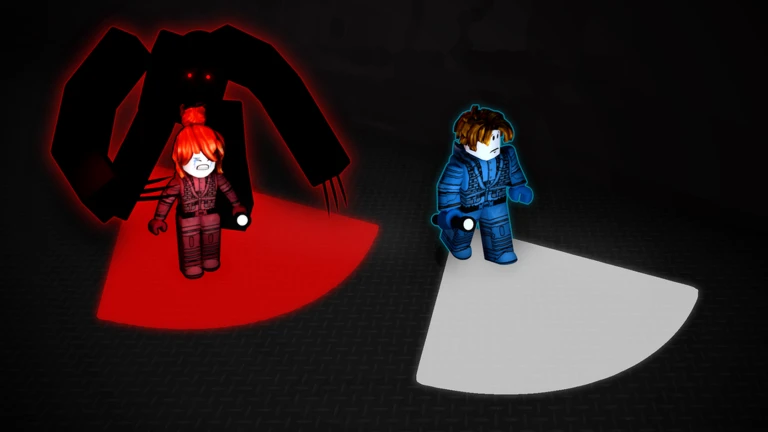
Farm tools for rescues and cash
Search Party Roblox Script is a combat script hub built around Crewmate Aura and Money Aura for common Roblox executors. Crewmate Aura interacts with nearby crewmates inside the chosen aura range, while Money Aura collects nearby money and opens compatible lockers or drawers when their prompts are available.
For more active farming, Auto Rescue teleports to the nearest crewmate, triggers the rescue interaction, then can return you to your previous position through Stealth Return. Auto Money works similarly for money piles and containers, using an action delay so the loop does not spam every prompt at once.
ESP and awareness settings
The visual tracking options are especially useful because Search Party depends on knowing where threats, teammates, objectives, and loot are before you commit to a route. The script creates highlights and overhead labels, then refreshes them as characters and interactable objects appear or disappear.
- Killer ESP: Marks killer characters in red, helping survivors avoid unsafe paths and react before a chase starts.
- Crewmate ESP: Highlights rescue targets, making it easier to plan a fast route through the map.
- Money ESP: Shows cash objects with gold labels when enabled, useful when prioritizing collection over rescues.
- Distance display: Adds meter-style distance text to labels, so nearby targets can be chosen without guessing.
Use the current loader
Run the loader in a supported Roblox executor after joining Search Party, then configure only the tabs that match your current role.
Killer role options
When your character is on the killer team, the script switches its combat logic toward survivor pressure. Kill Aura looks for survivors inside the configured range, turns your character toward the closest target, and triggers the claw attack with a short cooldown.
Aim Survivor is the lighter option. Instead of firing attacks, it faces your character toward the nearest survivor within a wider search distance, which can help with tracking movement and lining up manual hits while keeping direct control of your actions.
Movement and visibility helpers
The Player and Visual options are practical quality-of-life tools rather than route automation. Infinite Stamina keeps the local stamina value topped up, which matters for both survivor escapes and killer pursuit because the same stamina system is used across roles.
- Infinite Stamina: Refills the character stamina attribute whenever it drops below the maximum value.
- Full Bright: Raises brightness, sets daytime lighting, and reduces certain darkening or blur effects.
- No Fog: Pushes fog far away so distant areas are easier to read while moving.
- Killer Alert: Sends a notification when a killer enters the selected alert distance.