QUANTIFY Roblox Script
QUANTIFY Roblox Script combines Tween moves CIRCLE models to the Sell part and Tween moves TRIANGLE models to the Sell part in an utility script hub for common Roblox executors. Instead of trying to manage every object in the map, it watches the active Parts folder and handles only the named shapes used for selling.
What This QUANTIFY Script Does
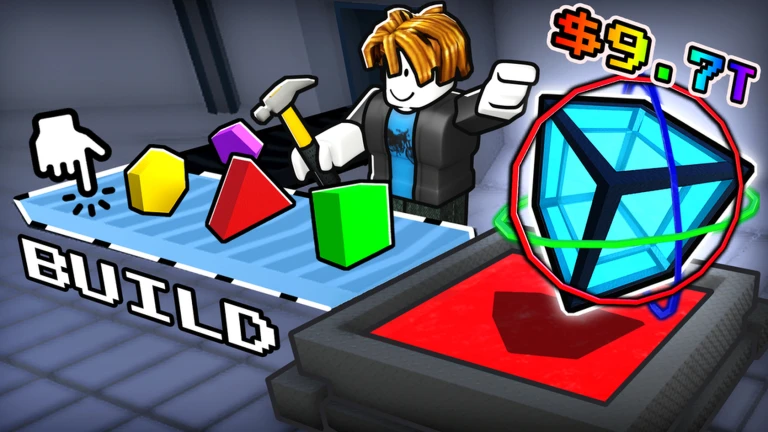
QUANTIFY Roblox Script is an utility script hub built around Tween moves CIRCLE models to the Sell part and Tween moves TRIANGLE models to the Sell part for common Roblox executors. It checks the workspace for the Parts folder, finds shape models with specific names, then applies a short linear tween to move the chosen model’s main part to the seller location.
The supported shape names are CIRCLE, TRIANGLE, HEXAGON, and SQUARE. That narrow target list is useful because it keeps the script focused on the objects that matter for the loop, rather than pushing unrelated map pieces, decorations, or other models that may exist nearby.
Confirmed Shape Movement Features
- Circle selling assist: CIRCLE models inside the Parts folder are tweened to the Sell part when detected.
- Triangle selling assist: TRIANGLE models are included in the same movement logic and use the same seller target.
- Hexagon selling assist: HEXAGON models are recognized by name and moved with the shared smooth tween behavior.
- Square selling assist: SQUARE models are also handled, covering the four shape names present in the script.
Use It While Selling Shapes
Run the loader during an active QUANTIFY round so newly spawned supported shapes can slide toward the seller target.
How the Movement Logic Works
The script runs its scan on Heartbeat, so it can notice shapes while the game is active instead of relying on a single startup pass. When a matching model appears, the script looks for its PrimaryPart first, then falls back to the first BasePart it can find inside the model.
Once a usable part is found, TweenService moves that part to the seller’s Sell part CFrame over half a second. The movement is not instant teleportation in the strictest sense, since the object slides to the target with a linear tween, which can make the transfer look less abrupt.
- Target path
- The seller destination is located through workspace Map, BuildingParts, Seller, then Sell.
- Tween timing
- Each movement uses a 0.5 second linear tween toward the selling location.
One-Time Handling and Cleanup
A handled-shapes table is used to stop the same model from starting multiple tweens. This matters because the scan runs continuously, and without tracking, a single object could be selected again before its current movement finishes or before the game removes it.
The cleanup behavior is also tied to the Parts folder. When a child is removed, its handled entry is cleared, which helps avoid building up stale references after shapes are collected, sold, or destroyed by the game’s normal systems.