Numberblocks 3D Roleplay Roblox Script
Numberblocks 3D Roleplay Roblox Script combines Enhanced walk speed and Increased jump power in a simulator script hub for common Roblox executors. It adds a cat styled roleplay setup with faster movement, higher jumps, visible accessories, and a simple paw swing action for expressive scenes around the map.
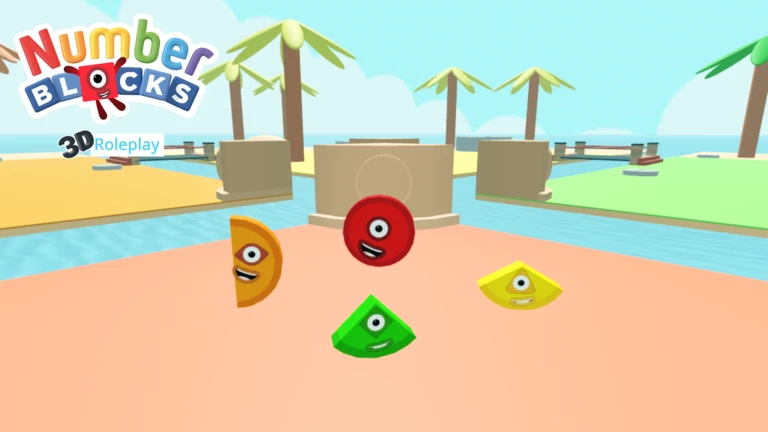
What this build changes in Numberblocks 3D Roleplay
Numberblocks 3D Roleplay Roblox Script is a simulator script hub built around Enhanced walk speed and Increased jump power for common Roblox executors. Instead of adding unrelated systems, it gives the character a small cat themed setup that can fit casual scenes, animal roleplay, or funny Numberblocks character interactions without changing the basic purpose of the game.
Movement is adjusted through a higher walk speed and jump power, so getting around the 3D roleplay area feels quicker. The character is also given a lower hip height, creating a smaller posture that supports the cat impression when combined with the tail, ears, and paws.
Confirmed character features
- Faster movement: Walk speed is raised, making it easier to move between roleplay spots and follow other players.
- Higher jumping: Jump power is increased, giving the avatar a more energetic feel during exploration.
- Cat posture: The lowered hip height makes the character appear smaller and more animal-like.
- Animated tail: A smooth orange tail is attached and waves while the character is active.
Use the roleplay add-on
Run the loader once your character has spawned so the accessories can attach to the correct body parts.
Cosmetic attachments and animation behavior
The visual parts are created directly on the local character. A tail is welded near the HumanoidRootPart, while two ears are placed on the head. The script also creates a CatPaws folder and attaches rounded paw parts to both arms, with pink pads added for a clearer cartoon look.
The animation is simple but useful for roleplay. The tail swings through a repeating wave, the character lightly bounces while moving, and mouse click input triggers a short right paw and left paw swing. This reads like a playful action, not a damage or battle system.
Best ways to use it in roleplay
- Animal character scenes: Use the cat form for pet, mascot, or transformed Numberblock stories.
- Small group interactions: The paw swing works well as a wave, tap, or playful reaction during conversations.
- Exploration: The movement boosts help when traveling across larger roleplay areas without waiting on slow walking.
- Avatar expression: The ears, paws, tail, and posture make the character style readable from a distance.